Access & Sign-in
Provisioned accounts only — no self-registration. Lockout after five failed attempts, forced password changes, and 30-minute session expiry.
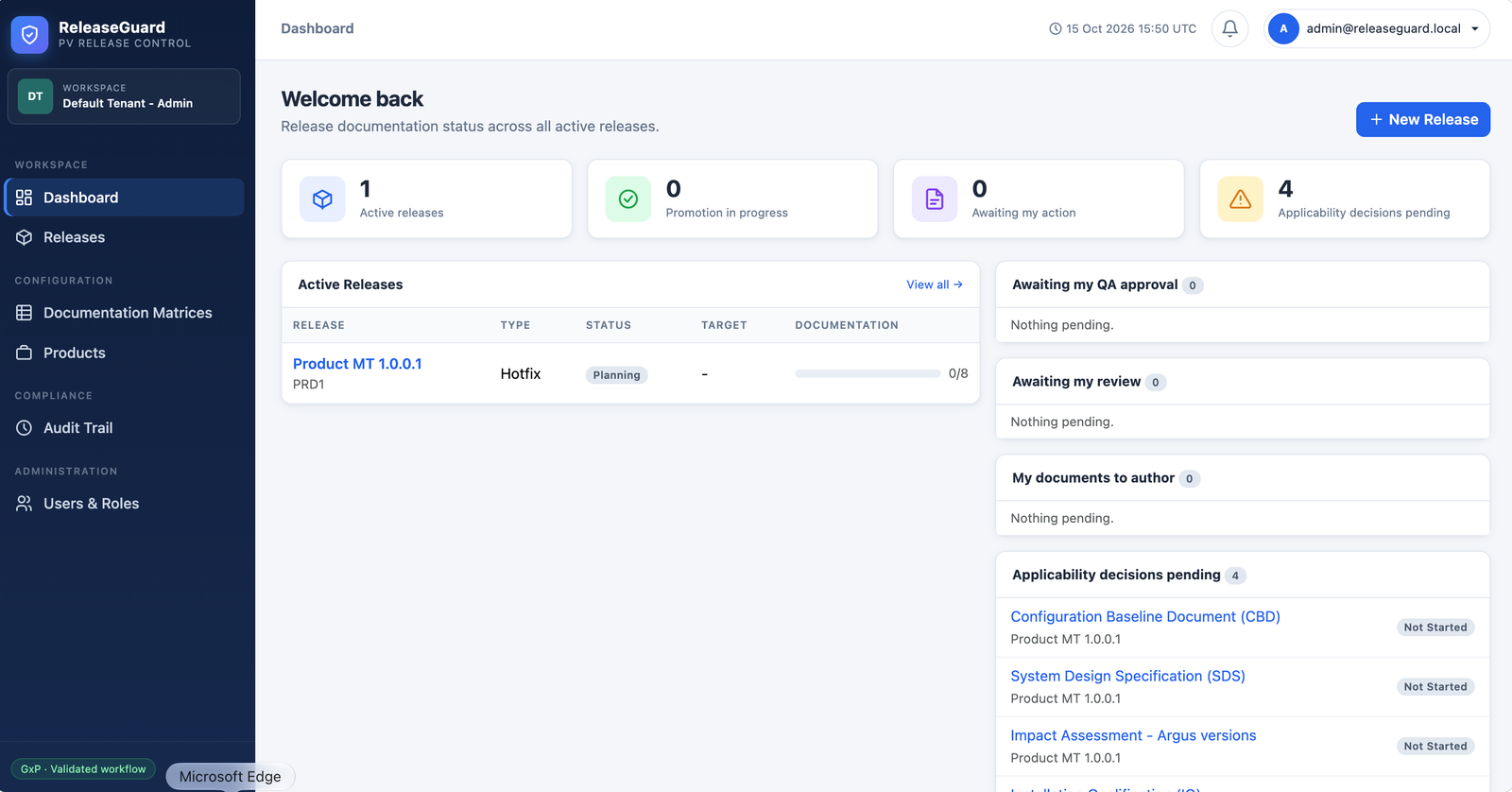
Documentation matrices, role-separated approvals, electronic signatures, and append-only audit trails — so every deployment is controlled, traceable, and compliant.
From documentation matrices to production sign-off, ReleaseGuard covers the full lifecycle — without letting anyone skip a gate.
Provisioned accounts only — no self-registration. Lockout after five failed attempts, forced password changes, and 30-minute session expiry.
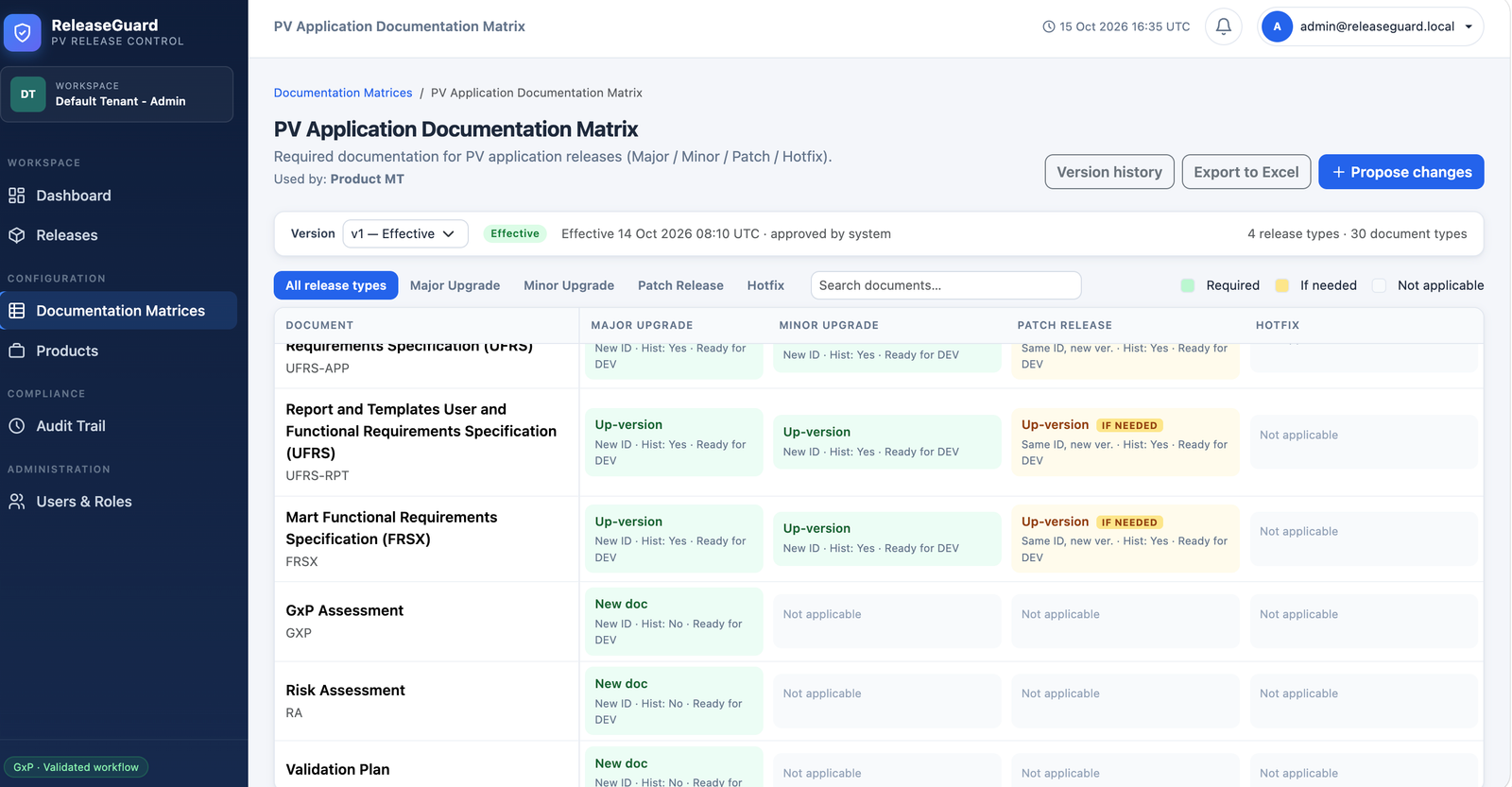
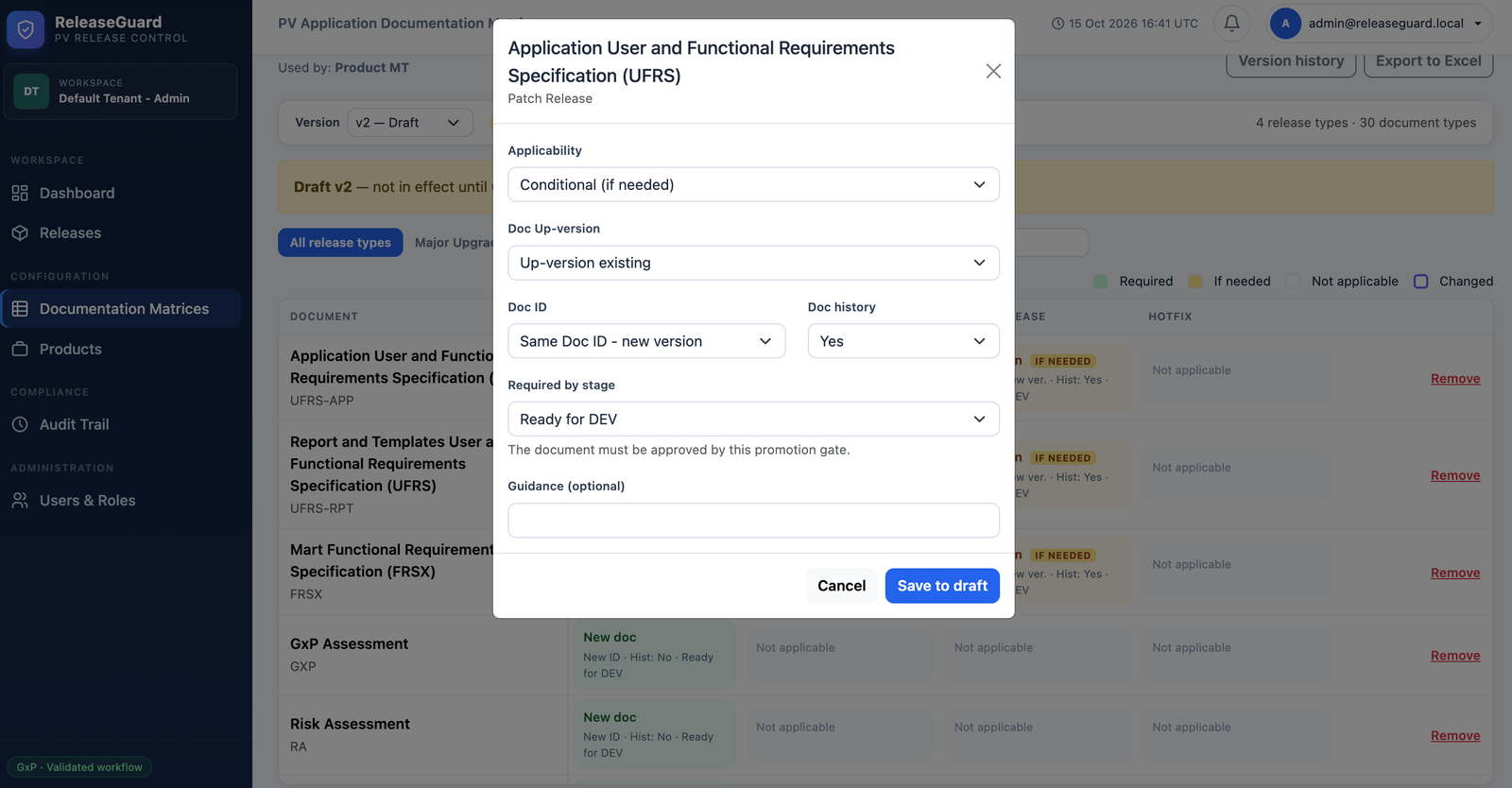
Define required, conditional, and not-applicable documents per release type. Import and export Excel workbooks; every change is versioned and QA-approved.
Authors, reviewers, and QA approvers for a document must be three different people. Role membership alone never grants document access.
Planning through Released, with DEV, VAL, and PROD gates. The document gate is re-checked at every promotion action.
Every upload is fingerprinted with SHA-256. Review and approval are refused if the file changed after submission.
Append-only audit records with CSV/PDF export. Release dossiers bundle approved revisions, the signature manifest, and checksums.
Real screens from a live release — dashboards, documentation matrices, and rule-level configuration.
A user can hold more than one role. A role permits an action — but document workflow actions also require assignment to that document.
| Role | Main responsibilities |
|---|---|
| Administrator | Manage users and roles; create and edit documentation matrices; request a product's matrix change. |
| ReleaseManager | Manage products and releases, assign people, decide applicability, record manual deployments, and sign release-stage readiness. |
| Author | Maintain document metadata and files, then submit assigned documents for review. |
| Reviewer | Review or reject assigned documents. |
| QAApprover | Approve or reject reviewed documents, approve matrix versions and DEV/VAL/PROD stage gates, and authorize releases. |
| Manager | Provide one of the required product-matrix-change approvals. |
| QualityManager | Provide one of the required product-matrix-change approvals. |
| ProductOwner | Provide one of the required product-matrix-change approvals. |
Every transition is a recorded action with the responsible user, a meaning, and an electronic signature.
| Current state | Responsible user | Action & result |
|---|---|---|
| Decision pending | ReleaseManager or Administrator | Record Needed or Not needed with a justification and electronic signature. Not needed becomes Not Required and counts as complete. |
| Not Started | Assigned Author or ReleaseManager | Enter document ID/version and upload a file; the document becomes Draft. |
| Draft or Rejected | Assigned Author | Correct metadata or upload a revision, then sign Submit; the document becomes In Review. |
| In Review | Assigned Reviewer | Sign Review to move it to Reviewed, or Reject with a reason to return it to the author. |
| Reviewed | Assigned QAApprover | Sign Approve to move it to Approved, or Reject with a reason. |
| Approved | ReleaseManager or QAApprover | Reopen with a reason; the document returns to Draft. A release in a promotion stage returns to In Progress. |
A matrix defines the documents and rules used to create a release checklist. Products bind to an effective matrix version.
Deployments happen manually outside ReleaseGuard. The responsible Release Manager records the reference and evidence in a signed action.
Review the checklist and assignments. Documents cannot be submitted yet.
A Release Manager starts the release. Assigned authors can submit documents.
Release Manager signs after all documents due by the DEV gate are approved and each conditional document has an applicability decision.
Release Manager records the manual development deployment reference and evidence.
A QA Approver signs the development verification evidence. The approver must differ from the deployment recorder.
Release Manager records the manual validation deployment reference and evidence.
A QA Approver signs validation completion evidence. Must differ from the VAL deployment recorder.
Release Manager records the manual production deployment reference and evidence.
A QA Approver signs production verification and final release authorization. Must differ from the PROD deployment recorder.